
Teleprompter · Video recorder Live

Nail every take. Never look away.

Read your script naturally while recording video — maintain perfect eye contact with the camera every single time.

4KRecording
0.25–3×Scroll speed
16–48ptText size
$0Forever

No account required · Works offline · Privacy first

Workflow

Three steps. Zero friction.

Lines stays out of your way. Write, record, ship — in the time it takes competitors to load.

Write

Paste or type your script.

Auto-save, word count, script history — your words stay safe on device.

Record

Tap start. Roll camera.

Text floats near the lens. Pinch to resize, drag to move. Scroll at your pace.

Share

Auto-save to Photos.

720p, 1080p, or 4K — ready to export to YouTube, TikTok, or your NLE.

System spec

Built for creators who don't miss a beat.

Every feature tuned for the moment you hit record. No bloat. No subscriptions.

Translucent overlay

Script text floats near the camera lens for natural eye contact on every take.

Variable scroll

0.25× to 3× — that's 40 to 450 words per minute, tuned to your delivery.

Pinch to resize

Text size from 16pt to 48pt. Drag the overlay to move it where you need it.

Mirror mode

Flip text for hardware teleprompter rigs with beam-splitter glass.

Up to 4K recording

720p, 1080p, or 4K. Front or rear camera, with live switching mid-session.

Countdown timer

3, 5, or 10 seconds before the take. Get set, get loose, get rolling.

Zoom & torch

5× digital zoom and torch/flash toggle — lock in framing and lighting fast.

Auto-save to Photos

Recordings land in your Photos library the moment you stop. No exports.

Script history

Every script you write is archived with custom titles and word count.

Live preview

Scroll speed, font, opacity, line position — every setting applies instantly.

Offline · private

No servers, no accounts, no internet. Your words never leave your device.

Industrial UI

Knobs, LEDs, recessed panels — tactile controls designed for creators.
On device

Every screen, engineered.

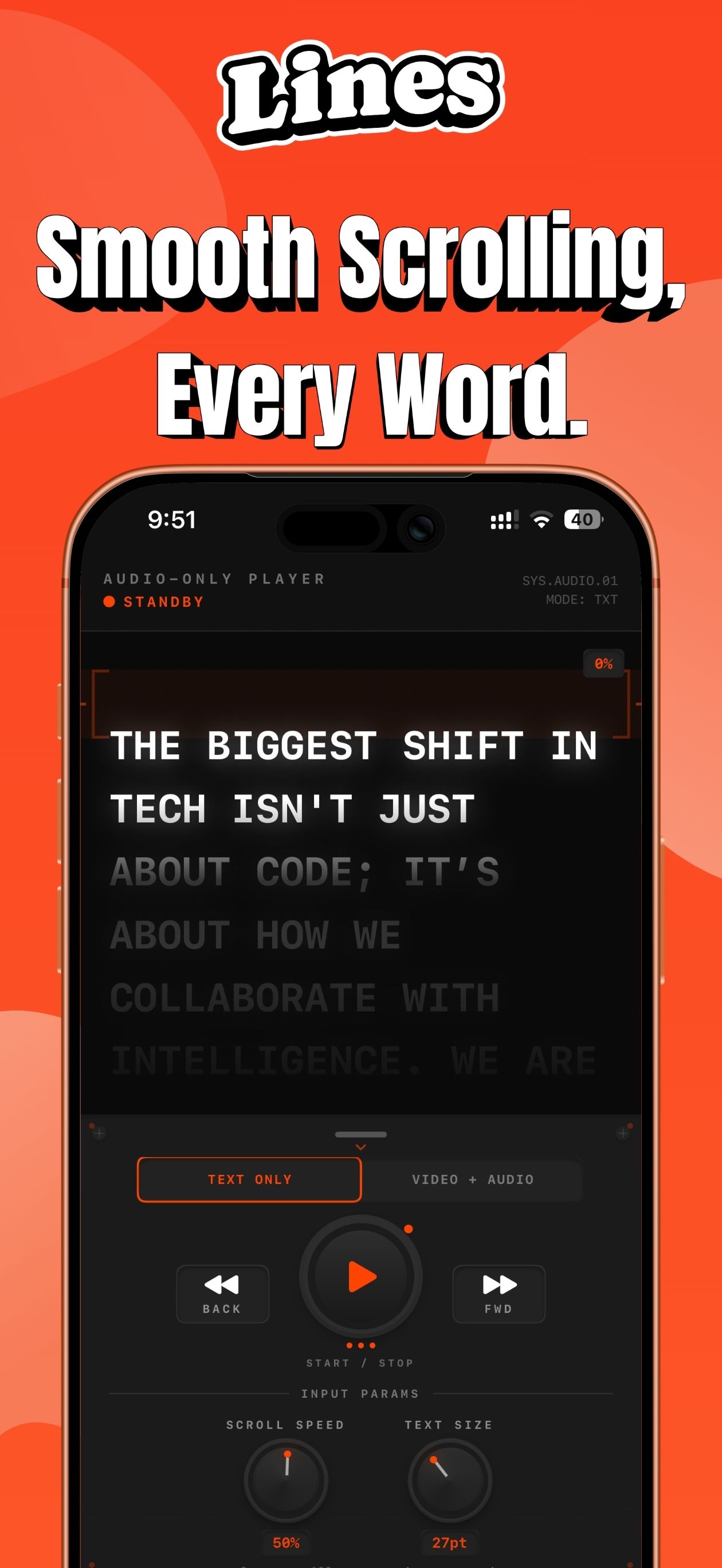
01 Smooth Scrolling
Lines screen: Smooth Scrolling

Smooth scrolling, every word.

A text-only player with a steady, readable pace — your lines glide past the lens without a stutter.
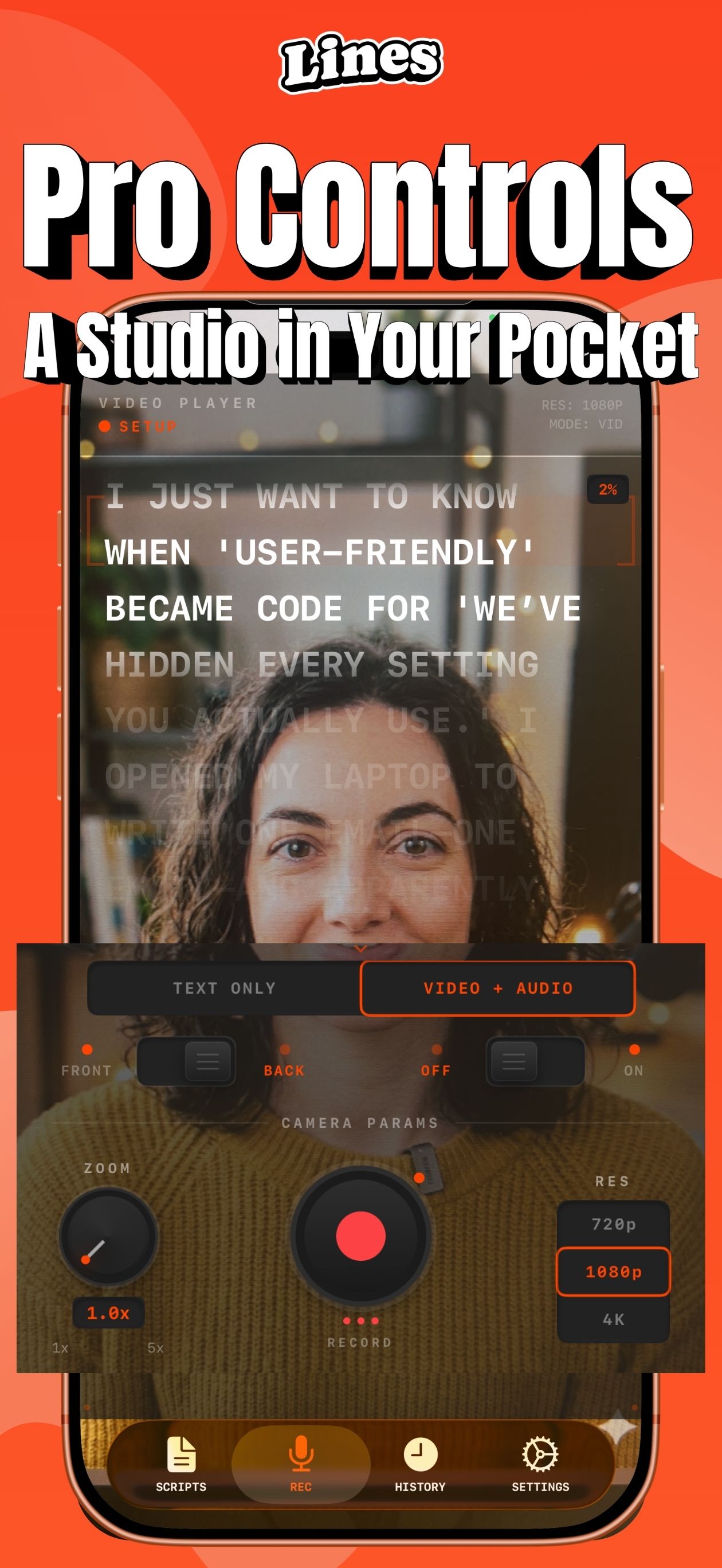
02 Pro Controls
Lines screen: Pro Controls

A studio in your pocket.

Front/back camera, zoom, 720p–4K resolution and record — all within thumb's reach.
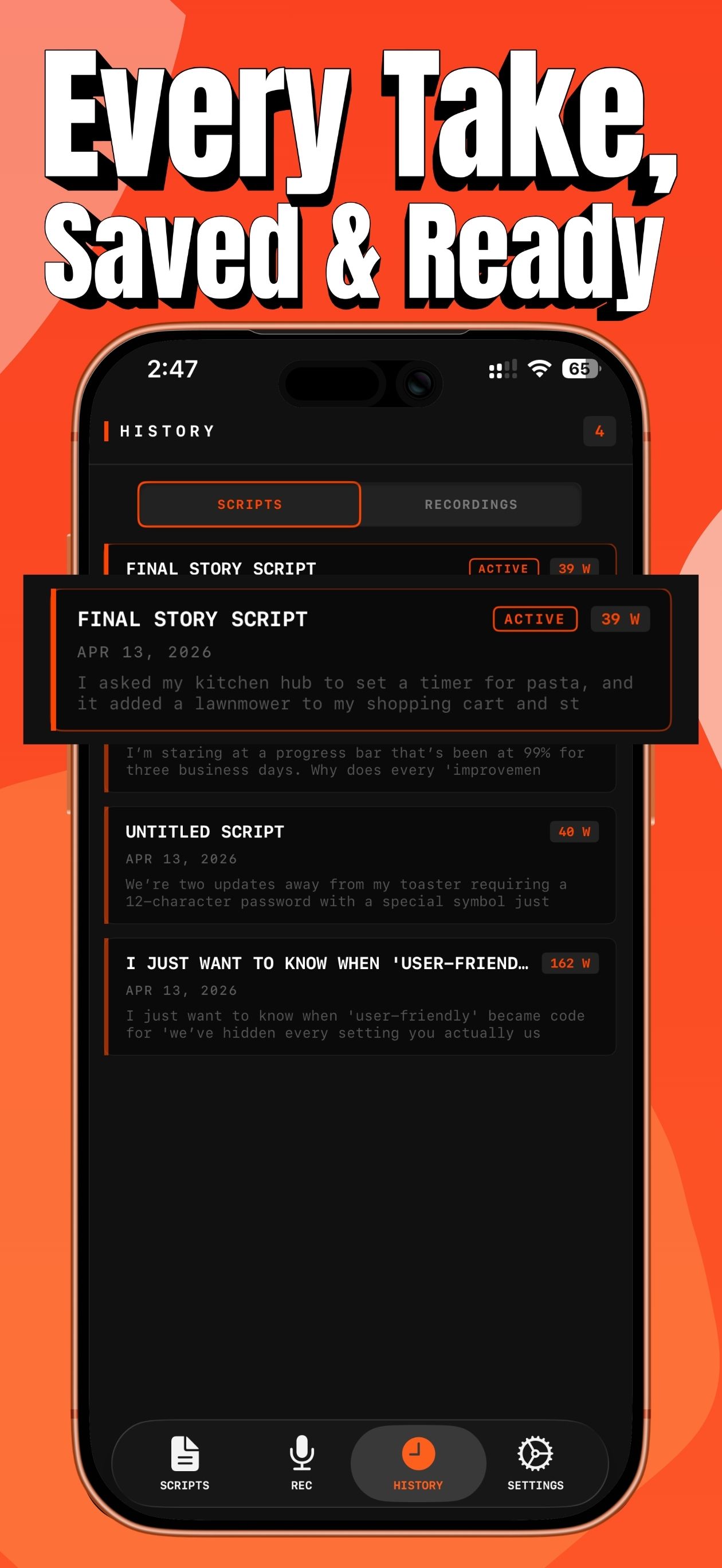
03 Every Take Saved
Lines screen: Every Take Saved

Every take, saved & ready.

Scripts and recordings live in one history view — active takes, word counts, swipe to revisit.
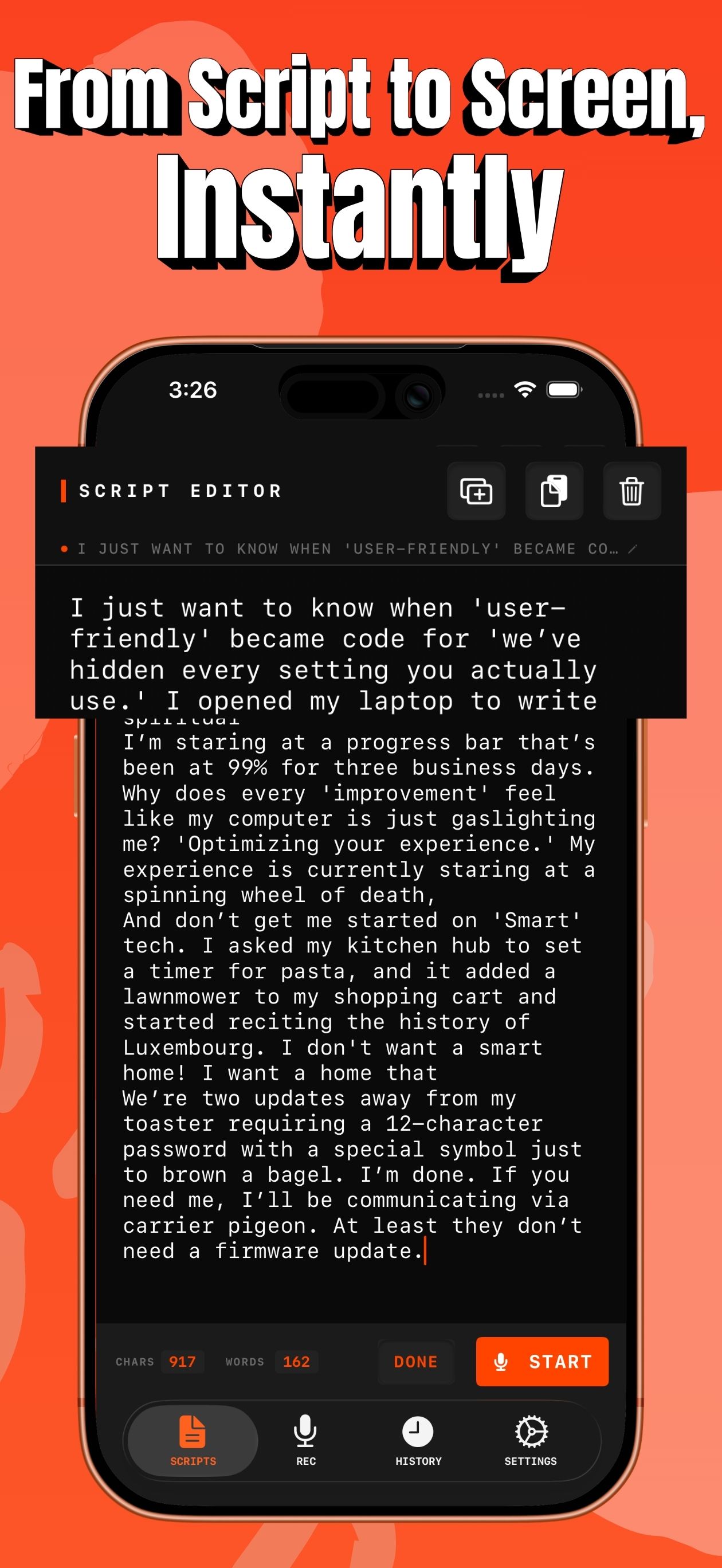
04 Script To Screen
Lines screen: Script To Screen

From script to screen, instantly.

Write, duplicate, delete — then hit START to drop straight into the teleprompter.

Operator's manual

Frequently asked questions.

Is Lines really free?
Yes. Lines is free with no in-app purchases or subscriptions. No trials, no upsells — the app you download is the full app.
Do I need an internet connection?
No. Lines works entirely offline. Scripts, settings, and recordings all live on your device. You don't need to create an account or sign in.
Which iPhones and iPads does it support?
Lines runs on iOS 16 and later, on both iPhone and iPad. Recording is supported wherever your device supports it — up to 4K on modern iPhones.
Will my scripts or recordings be uploaded anywhere?
Never. All scripts are stored in the app's sandboxed storage on your device. Recordings save to your Photos library. Nothing is ever sent to a server.
Can I use Lines with an external teleprompter rig?
Yes — enable Mirror Mode in settings and Lines will flip the text for use with beam-splitter glass.
Can I change scroll speed and text size during a recording?
Yes. Every setting applies live with no restart needed — scroll speed (0.25× – 3×), font size (16pt – 48pt), opacity, and line position can all be adjusted mid-take.
How do I get support?
Reach out anytime at getzeroapps@gmail.com — you'll hear back from the developer directly.
Ready

Stop memorizing. Start delivering.

Free. Private. No account. Download Lines and never stumble over your words again.